
Quadium 4004 Workbench
Program and debug an emulated Intel 4004 in assembly or QuadBasic, with virtual peripherals
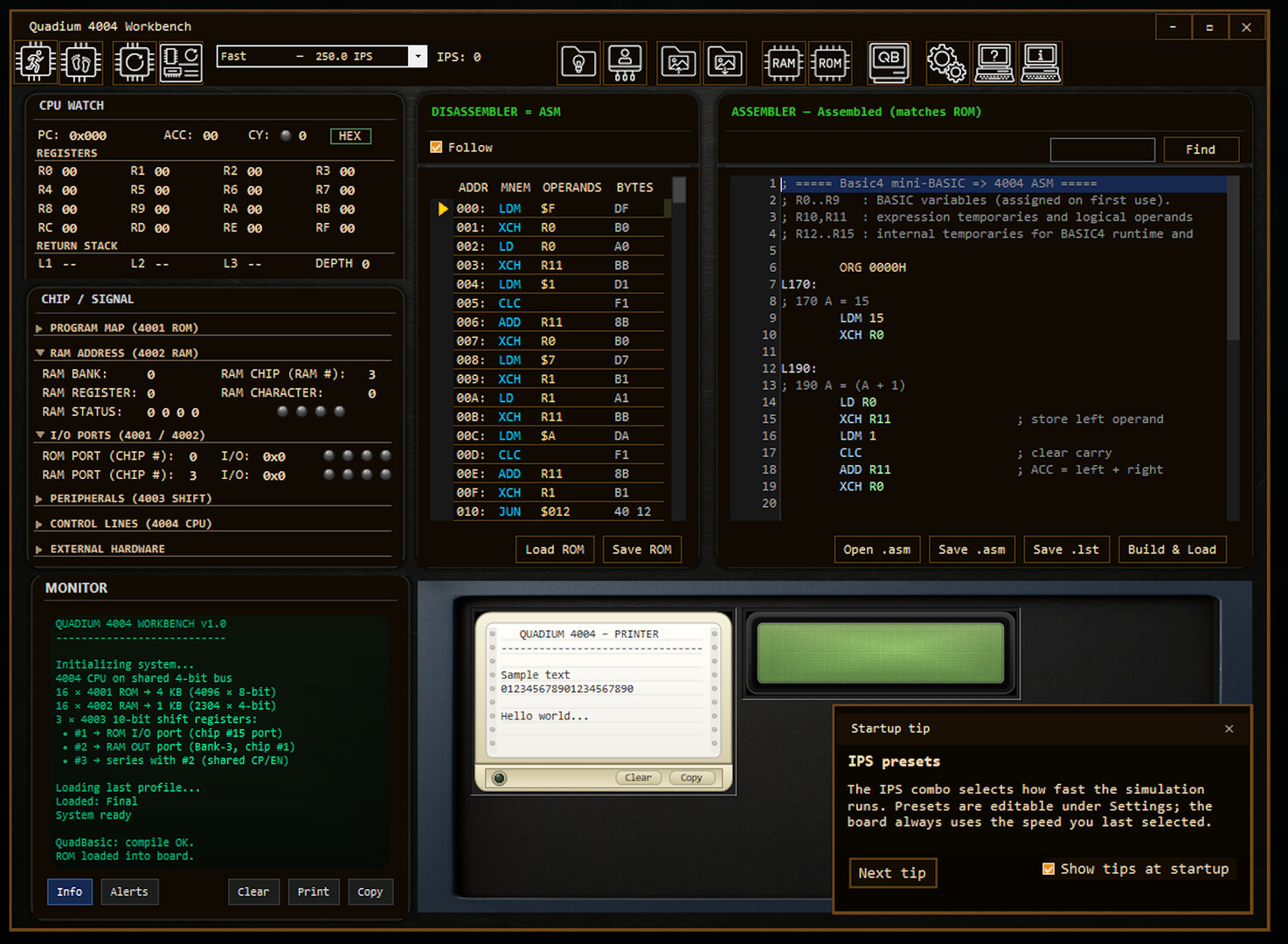
Quadium 4004 Workbench is a learning lab for the Intel 4004, the first commercial microprocessor. You write programs in 4004 assembly, or in QuadBasic, which is translated into native 4004 machine code, and run them on an emulated MCS-4 system.
Paid · No login · Desktop · Intermediate
About Quadium 4004 Workbench
A debugger shows step-by-step execution, breakpoints, live registers, RAM and ROM, the stack and an execution trace. Programs can drive virtual LEDs, seven-segment and LCD displays, an LED matrix, a keyboard, a printer and more, and a USB bridge lets them talk to Arduino-compatible boards. Integrated lessons guide newcomers. The developer calls it educational engineering software rather than a traditional game, so it suits people who want to learn how a CPU works by programming one.
A paid download for Windows on Steam. No account is needed beyond Steam.
Questions about Quadium 4004 Workbench
How does a QuadBasic program reach the emulated chip?
- You write QuadBasic source and transpile it to Intel 4004 assembly. Then you build it, load the ROM and run it on the virtual lab. CPU state, bus activity and a disassembler stay visible while it runs.
Can I change how fast the emulated CPU runs?
- Yes. Execution speed is adjustable, and Settings has instructions-per-second presets. Two of them are fixed historic 4004 rates, so you can see how slowly the original chip ran your code.
Can a program send output to a file or to real hardware?
- A PRINT to the host disk writes a UTF-8 file on Windows. A USB I/O Bridge connects the workbench to physical microcontrollers such as Arduino. A single RAM port nibble can also drive a four-LED bar.
Made this game? Claim it →
Tips and discussion
No tips yet.
Sign in to share a tip.